
If you run a business, or you’re simply curious about what a POS system is and how it works, you’ve come to the right place.
What does POS mean?
A Point of Sale, or POS, is software or a computer system that lets sellers manage their point of sale in an easy, accessible way. Most POS systems are touch-based and adapt to all kinds of devices, whether screens, tablets or computers.
In the digital age we live in, more and more businesses run their operations through a POS. The global pandemic has accelerated these digitalization processes. It’s convenient, modern, and it automates many tasks so you can spend your energy on more important things.
What functions does a POS system have?
Generally speaking, Point of Sale terminals handle checkout, sales and inventory management. We’ll give you a broad overview, but tailored to our product StockAgile, since that’s the one we know best.
Advantages of a POS system
- Take control of your business and automate processes you used to do by hand or in Excel.
- Save time on management with an intuitive, easy-to-use program.
- Stop dealing with headaches over stock discrepancies and inventory you can’t track down.
- Plan your budget for upcoming seasons using your sales and product history.
- Register the customers, suppliers and users who transact with your business.
- Manage everything from a single platform, from purchasing from suppliers to selling to customers.
- Compatible with all devices.
Disadvantages
- Adapting to a new computer system can be demanding, but with the help of professionals at StockAgile it’s no problem.
- If your computer or internet connection fails, don’t worry: your data is stored in the cloud.
Things to keep in mind about a POS
1. The size of your business
Every business has different needs, and we think it’s important to make a distinction. That’s why we’ve built various modules for:
- Wholesalers and/or distributors
- Retailers
- Manufacturers
- Brands
- Franchises
- Store chains
- Or several of these categories combined
The sector your business operates in also matters. You’ll need certain specific features depending on the industry.
- Fashion
- Jewelry
- Pharmacy and health products
- Baby and childcare
- Footwear
- Hardware
- Cosmetics
- …
2. You have an e-commerce (online store)
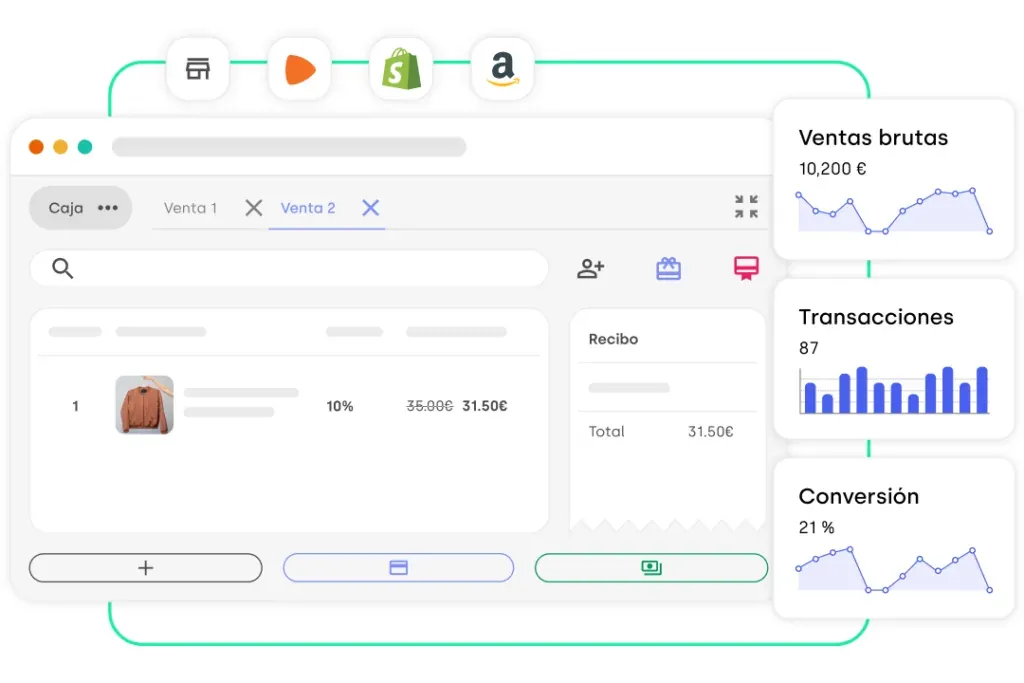
If you have an online store and want to manage it from the same platform, you’re in luck. With StockAgile you can sync your existing stock in real time. On top of that, you can prepare orders and sales straight from the POS.
To learn more about POS–Web synchronization, click here
3. Warehouses, outlets, showrooms, stores…
It’s important to know how many stores, warehouses, outlets or showrooms we want to connect with StockAgile. That way, we can carry out product transfers and replenishments quickly.

HOW DO I KNOW IF I NEED A POS?
There are no basic requirements or minimum thresholds for adopting a POS for your business.
In the end, it all comes down to managing your business and making it easier. Sure, we can keep going by hand or in Excel, but we can avoid a lot of human error by keeping all our data stored in one program. It can help us plan how to build our budget, keep better control and run a more efficient business.
If you manage suppliers and have a warehouse, wouldn’t it be handy to have it all on the same platform? And if you have an e-commerce, keeping it synced to avoid discrepancies makes your job so much easier.
At StockAgile we encourage you to try the POS and see for yourself the advantages and disadvantages it offers.